

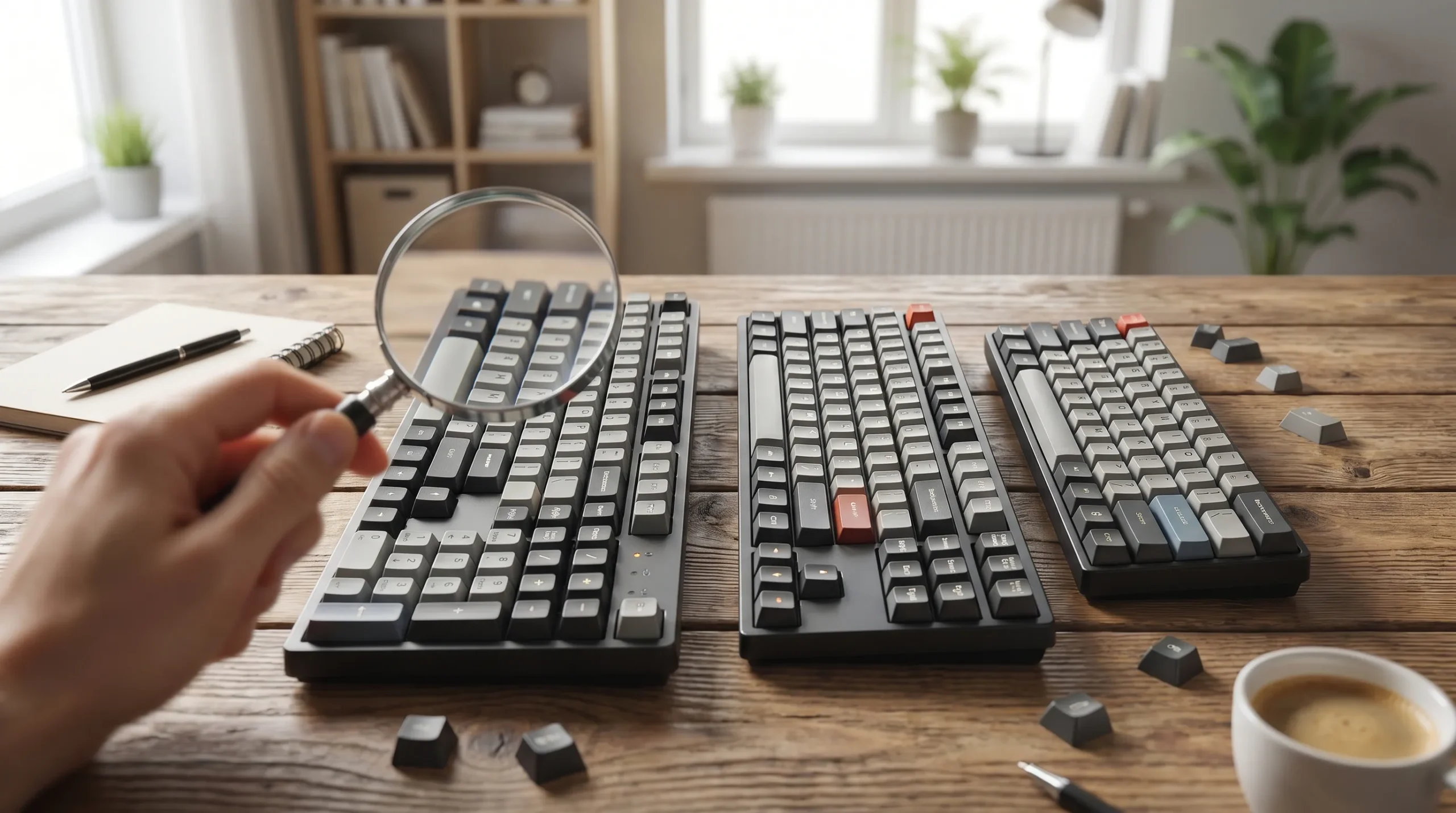
How many buttons are on a keyboard depends on the type of keyboard, the layout, and the region it was made for. In everyday speech, people often say buttons, but on a keyboard they are usually called keys. A standard full-size keyboard commonly has 104 keys in the ANSI layout used in North America, while other common versions include 101-key traditional US, 102-key enhanced European, and 105-key ISO layouts. Some JIS layouts can go even higher, and compact keyboards can drop well below that total.
That is why this question can feel confusing. One page says 104 keys, another says 105, and someone using a tenkeyless, 75%, 60%, or laptop keyboard may see far fewer. The simplest accurate answer is this: most full-size desktop keyboards have around 104 to 105 keys, but not all keyboards have the same number of buttons.
How Many Keys Does a Standard Keyboard Have?
If you are asking about a standard desktop keyboard, the answer is usually 104 keys on a modern Windows PC keyboard. Currys also lists several other common counts: 101 keys for a traditional US PC keyboard, 102 keys for an enhanced European PC keyboard, 87 keys for a tenkeyless keyboard, 83 keys for a 75% keyboard, and 61 keys for a 60% keyboard. That spread shows why the phrase keyboard key count is never truly one-size-fits-all.
A good way to explain it to readers is to separate full-size, compact, and laptop designs. A full-size keyboard keeps the main typing area, function row, arrow keys, navigation/editing keys, and numeric keypad. Once manufacturers remove or compress one of those clusters, the total key count drops. That is why how many keys are on a keyboard and how many buttons are on a keyboard sound like simple questions, but need a more complete answer.
Quick answer:
A standard full-size keyboard usually has 104 keys in the US and often 105 keys in many international layouts.
What Types of Keys Are on a Keyboard?
A keyboard is not just one block of identical keys. It is made up of several groups, and understanding those groups helps explain the total count. On a typical full-size board, you will usually find the alphanumeric keys, the function row, the modifier keys, the navigation/editing cluster, the arrow keys, and the number pad. Dareu’s breakdown of a full-size layout includes 61 keys in the main typing area, 12 function keys, 17 numpad keys, and 8 navigation/editing keys, with additional modifier and system keys bringing the total up to the familiar 104-key ANSI layout.
That structure also explains many related searches like what do function keys do on keyboard, how many arrow keys are there on a standard keyboard, and how many keys are in the number pad on a full size keyboard. A common full-size keyboard includes 4 arrow keys, F1 through F12, and a numeric cluster built for data entry and quick calculations. Readers who search for parts of a keyboard, types of keys on a keyboard, or keyboard button names are usually trying to understand these exact groups.
Main key groups on a full-size keyboard
| Key group | What it includes | Why it matters |
|---|---|---|
| Alphanumeric keys | 26 letters, number row, punctuation | Everyday typing |
| Function keys | F1–F12 | Shortcuts and system commands |
| Modifier keys | Shift, Ctrl, Alt, system keys | Command combinations |
| Navigation keys | Insert, Delete, Home, End | Moving around documents |
| Arrow keys | 4 arrow keys | Cursor movement |
| Number pad / numpad | Numeric cluster | Fast number entry |
Keyboard Key Count by Size: Full-Size, TKL, 75%, 65%, and 60%
One of the best ways to rank for this topic is to show that keyboard sizes change the answer. A 100% keyboard usually means a full-size keyboard, and that is where the common 104 key keyboard answer comes from. A tenkeyless keyboard often has 87 keys, a 75% keyboard can have around 83 keys, and a 60% keyboard often has about 61 keys, according to Currys. Goblintechkeys also reinforces the idea that a 100% full-size mechanical keyboard typically has 104 keys.
Modern keyboard conversations also include the 65% keyboard and 96% keyboard, which are useful gap keywords for your article. Goblintechkeys describes a 96% mechanical keyboard as having 96 keys compared with the 104 keys of a full-size board. Their broader size guide also lists 65% keyboards at 68 keys and 40% keyboards at 40 keys or less. Those extra comparisons help answer searches like keyboard size chart, keyboard key count chart, and full-size vs TKL vs 75% vs 60% keyboard more completely than your competitors do.
Quick keyboard size chart
| Keyboard size | Typical key count |
|---|---|
| Traditional US desktop | 101 |
| Windows full-size | 104 |
| ISO full-size | 105 |
| JIS full-size | 108–109 |
| Tenkeyless / TKL | 87 |
| 75% | 83–84 |
| 65% | 68 |
| 60% | 61 |
| 96% | 96 |
This table also helps answer a practical reader concern: what is the average number of keys on a keyboard? For most desktop users, the average answer is still centered around the full-size 104-key layout, but compact boards are now common enough that a helpful article should show the range, not just one number.
Why Do Some Keyboards Have 104, 105, 108, or 109 Keys?
The biggest reason is layout standard. Dareu explains that a full size keyboard typically has 104 keys, but ISO and JIS layouts can raise the total to 105, 108, or 109. That variation does not mean one keyboard is more “correct” than another. It simply reflects regional keyboard standards, extra language input needs, and different physical arrangements.
Here is the easy version for readers:
- ANSI is the common North American standard and is usually 104 keys
- ISO often adds an extra key and is commonly 105 keys
- JIS layouts can include additional keys for Japanese input and may be 108–109 keys
This section is important for long-tail searches like how many keys are on an ANSI full size keyboard, how many keys are on an ISO full size keyboard, how many keys are on a JIS full size keyboard, and keyboard count by layout. It also helps with the broader beginner question: why keyboards have different numbers of keys.
Laptop Keyboards vs Desktop Keyboards
A strong content gap in the competitor pages is the lack of a real laptop keyboard section. That matters because many users ask how many keys are on a laptop keyboard after noticing their built-in keyboard has fewer visible keys than a desktop one. In most cases, a laptop keyboard has fewer keys because it saves space by shrinking the layout, removing the number pad, tightening the navigation/editing cluster, or layering extra functions onto the same keys. This is one of the clearest places where desktop keyboard vs laptop keyboard comparisons improve the article. The general rule from the size guides still applies: the layout, not the device category alone, determines the final count.
A full-size external keyboard is often better for data entry, editing, and office work because it gives you the full function row, arrow keys, and numeric keypad without compromise. A laptop keyboard is usually built around portability first. So when someone asks how many buttons does a keyboard have, you can serve both beginner and practical intent by explaining that a laptop and a desktop keyboard may answer the same question very differently.
Mechanical, Membrane, Wired, and Wireless Keyboards
Many readers assume that a mechanical keyboard must have a different number of keys than a membrane keyboard, but that is not really how key counts work. The technology changes the feel, sound, and switch behavior; the layout changes the number of keys. Goblintechkeys notes that a 100% full-size mechanical keyboard typically has 104 keys, while some variants may add media controls or macro functionality, or shrink to 96 keys for a more compact design.
That means a wireless keyboard key count, Bluetooth keyboard key count, or membrane keyboard key count can still match a standard layout. What changes the total is whether the board is full-size, TKL, 75%, 65%, 60%, or another form factor. Additional features such as RGB backlighting, programmable keys, media controls, or macro keys can add practical value, but they do not automatically define the standard base count.
What Is a QWERTY Keyboard, and Does It Affect the Number of Keys?
A QWERTY keyboard is named after the first six letters on the top letter row. Currys explains that QWERTY is the standard layout used by most English-language computer users and traces its origins back to typewriters in the 1800s. That makes QWERTY useful for topical authority, but it does not automatically tell you the exact number of keys. A QWERTY keyboard can be full-size, compact, laptop-sized, or mechanical.
This is a useful distinction for beginners. Keyboard layout explained for beginners should separate letter arrangement from physical size. In other words, QWERTY tells you where the letters sit, while 100%, TKL, 75%, or 60% tells you how much of the keyboard is physically present. That explanation helps answer the search intent behind what is a QWERTY keyboard without confusing readers about key counts.
How Many Arrow Keys, Function Keys, and Number Pad Keys Are on a Keyboard?
This is one of the best sections for semantic depth because it answers several long-tail questions at once. A standard keyboard usually has 4 arrow keys and 12 function keys, from F1 through F12. Dareu also breaks the full-size layout into 17 numpad keys, which is especially useful for readers searching how many keys are in the number pad on a full size keyboard.
You can make this section more useful by briefly explaining what each cluster does. The arrow keys handle movement, the function row is tied to shortcuts and system commands, and the numpad is helpful for accounting, spreadsheets, and any kind of fast number entry. This is where LSI terms like function row, arrow keys, number pad, numeric keypad, and data entry fit naturally.
Is a 104-Key Keyboard Always Full-Size?
Usually, yes, but not in the way many readers assume. A 104-key keyboard is generally considered a full-size keyboard, especially in the ANSI standard. But a full-size keyboard is not always exactly 104 keys. Dareu notes that ISO and JIS full-size boards can rise to 105, 108, or 109 keys.
So the best answer to is a 104-key keyboard always full size is this: 104 keys almost always means full-size, but full-size does not always mean 104 keys. That line is simple, accurate, and snippet-friendly. It also answers another long-tail keyword: does a full-size mechanical keyboard always have 104 keys.
What Is the Best Keyboard Size for Work, Gaming, or a Small Desk?
The best size depends on intended use. If someone does a lot of data entry, spreadsheet work, finance tasks, or editing, a full-size keyboard with a numpad is often the best fit. Goblintechkeys says full-size boards are popular because they include the numeric keypad, function row, and arrow keys, while also giving the most flexibility for users who need many keys available at once.
For gaming, small desks, and minimalist setups, a TKL, 75%, 65%, or 60% board can make more sense because it saves desk space and improves portability. Goblintechkeys also notes that fewer-key designs can create a more compact design, while larger boards can offer enhanced functionality through extra controls. That makes this section a great place to naturally use best keyboard size for work, best keyboard size for gaming, desk space, personal preference, and productivity keyboard.
Simple use-case guide
| Use case | Best fit | Why |
|---|---|---|
| Office work / accounting | Full-size | Full numpad and full key access |
| General gaming | TKL or 75% | More desk room for mouse movement |
| Small desk / travel | 65% or 60% | Better portability |
| Mixed work + gaming | 75% or 96% | Balance of size and function |
A Practical Case Study: Why One Answer Is Never Enough
Imagine two users asking the same question.
The first user is shopping for an office setup and wants a board for Excel, emails, and quick calculations. For that person, the best answer to how many buttons are on a keyboard is probably tied to a 104-key or 105-key full-size keyboard with a numeric keypad. That is the layout built for heavy number entry and full access to the function row, navigation/editing keys, and arrow keys.
The second user is building a gaming desk and wants more mouse room. For that reader, the useful answer may be 87 keys for a tenkeyless keyboard, 83–84 keys for a 75% keyboard, or 61 keys for a 60% keyboard. In other words, the “best” number of keys is not just about the count. It is about workflow, desk space, and personal preference.
FAQ: Common Questions About Keyboard Buttons and Key Counts
Do all keyboards have the same number of buttons?
No. A full-size keyboard is usually around 104 to 105 keys, but compact designs such as TKL, 75%, 65%, and 60% have fewer. Some regional full-size layouts can also rise to 108–109 keys.
How many buttons are on a laptop keyboard?
There is no single universal laptop count. Laptop keyboards usually have fewer keys than full-size desktop boards because they save space by shrinking or removing clusters like the numpad and some navigation keys.
What is the difference between a full-size keyboard and a 100% keyboard?
In most buying guides, those terms mean the same thing: a board with the complete standard layout, including the number pad. A 100% full-size mechanical keyboard typically has 104 keys in the ANSI layout.
Do Apple keyboards have fewer keys than Windows keyboards?
They often can, depending on the model. Currys lists an Apple Magic Keyboard at 78 keys, while standard Windows full-size boards are commonly 104 keys.
Can a full-size keyboard have more than 104 keys?
Yes. ISO layouts often have 105 keys, and JIS layouts can have 108–109 keys. Some specialty boards may also add media controls or macro keys.
Why do some keyboards remove the number pad?
To reduce size, save desk space, and improve portability. That is why tenkeyless, 75%, and 60% boards are popular with gamers and minimalist users.
Conclusion
So, how many buttons are on a keyboard? The most helpful answer is this: a standard full-size keyboard usually has 104 keys, many international full-size layouts have 105, and some regional versions go up to 108–109. Compact keyboards can have 87, 83–84, 68, 61, or other totals depending on size and design.
For SEO and for readers, the strongest takeaway is not just the number. It is the reason the number changes. Once you explain layout, keyboard size, ANSI vs ISO vs JIS, desktop vs laptop, and full-size vs compact designs, the whole topic becomes much easier to understand. That is what turns a simple answer into a genuinely useful article.
Disclaimer:
This article is for general informational purposes only. It explains typical key counts, layouts, and keyboard types, which may vary by region, brand, and device. Readers should verify specifications before making purchasing decisions.