

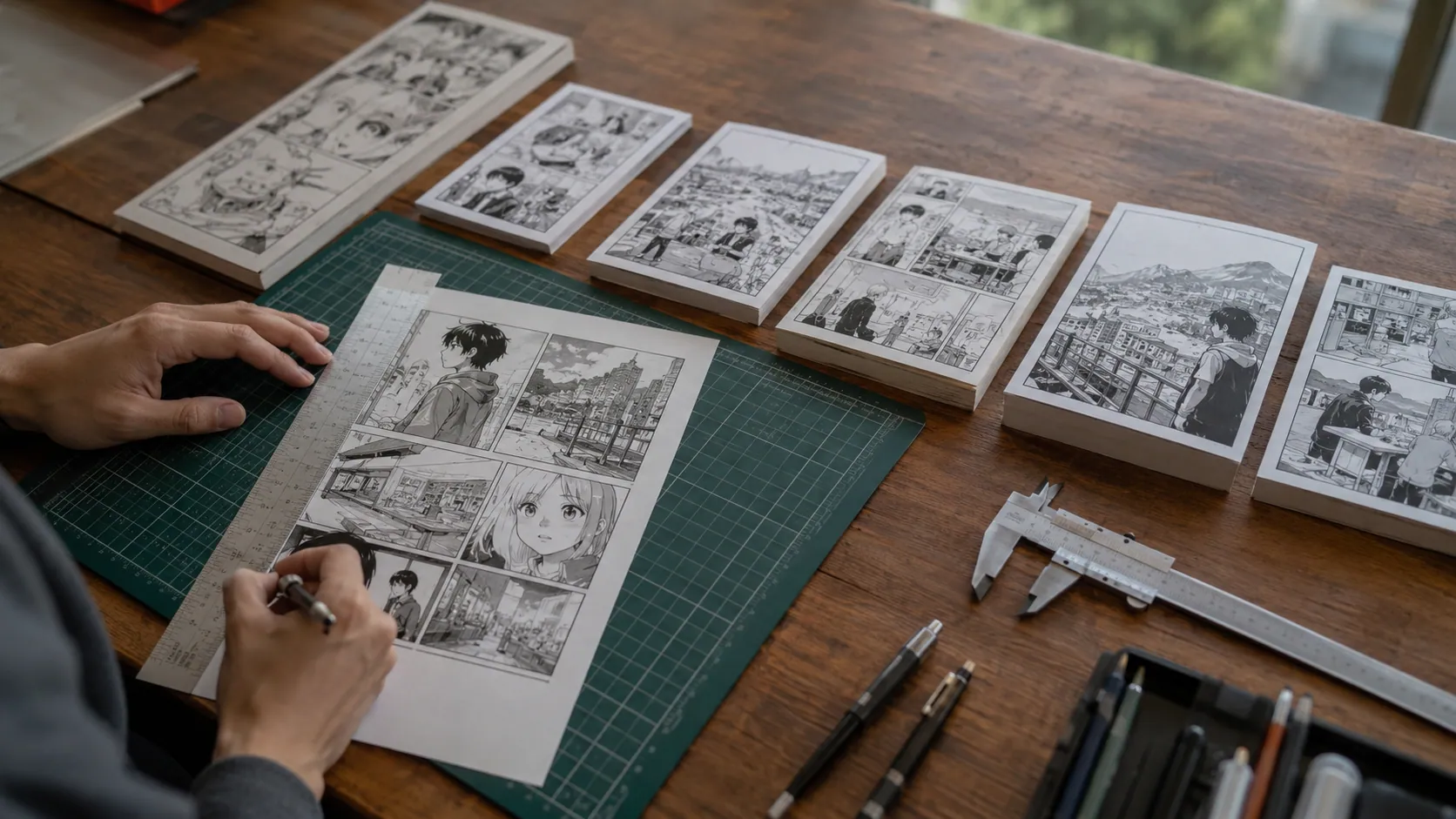
What are the dimensions of a printed manga page? A printed manga page is commonly around 5 inches × 7.5 inches or 5.5 inches × 7.75 inches in many English-language editions, while Japanese manga often uses formats such as B6, A5, or smaller bunko-style sizes depending on the edition. However, there is no single universal manga page size because publishers, printers, markets, and book formats all use slightly different standards.
For artists and self-publishers, the more important question is not only the final printed manga page dimensions, but also the correct trim size, bleed, safe area, manga canvas size, and DPI. A page that looks perfect on a screen can still print badly if the file does not include proper margins or enough resolution.
This guide explains standard manga page dimensions, common Japanese and English manga sizes, pixel dimensions, print setup rules, and beginner mistakes to avoid before sending your manga to a printer.
Standard Printed Manga Page Dimensions
The most common printed manga page size in English-language markets is close to 5 inches × 7.5 inches. Some manga printers and self-publishing services also use 5.5 inches × 7.75 inches, which gives the book a slightly wider and taller digest-style format. These sizes feel familiar to readers because many paperback manga volumes are smaller than American comic books but larger than pocket novels.
In practical terms, a manga page may fall into one of these common size ranges:
| Manga Format | Approximate Size | Best Use |
| Small manga paperback | 5″ × 7.5″ | English-language manga, compact volumes |
| Digest manga size | 5.5″ × 7.75″ | Indie manga, print-on-demand books |
| B6 manga size | About 5″ × 7.2″ | Japanese-style tankōbon volumes |
| A5 manga size | About 5.8″ × 8.3″ | Doujinshi, special editions, larger art-focused manga |
| B5 manga size | About 7.2″ × 10.1″ | Manga magazines, manuscript work, larger layouts |
The important thing to understand is that manga page dimensions usually refer to the final cut size of the page, also called the trim size. This is the size the reader holds in their hands after the book is printed, bound, and cut.
That final trim size is not always the same as the file size you should create. If you are preparing print-ready manga files, your canvas often needs to be slightly larger because it must include bleed around the edges. This prevents white borders or accidentally cut-off artwork after trimming.
So, when someone asks, “what size is a manga page?”, the safest answer is: most printed manga pages are around 5″ × 7.5″ or 5.5″ × 7.75″, but the exact size depends on the publisher, printer template, and book format.
Manga Page Size Chart: Inches, CM, MM, and Pixels
A clear manga page size chart helps because artists often need dimensions in more than one format. A writer may think in inches, a printer may ask for millimeters, and a digital artist may need manga page dimensions in pixels.
Here is a practical comparison table for common manga sizes:
| Format | Print Size in Inches | Approx. Size in CM | Approx. Size in MM | 300 DPI Pixels | 600 DPI Pixels |
| Compact manga | 5″ × 7.5″ | 12.7 × 19.05 cm | 127 × 190.5 mm | 1500 × 2250 px | 3000 × 4500 px |
| Digest manga | 5.5″ × 7.75″ | 13.97 × 19.69 cm | 139.7 × 196.9 mm | 1650 × 2325 px | 3300 × 4650 px |
| B6 manga | 5.04″ × 7.17″ | 12.8 × 18.2 cm | 128 × 182 mm | 1512 × 2151 px | 3024 × 4302 px |
| A5 manga | 5.83″ × 8.27″ | 14.8 × 21 cm | 148 × 210 mm | 1749 × 2481 px | 3498 × 4962 px |
| B5 manga | 7.17″ × 10.12″ | 18.2 × 25.7 cm | 182 × 257 mm | 2151 × 3036 px | 4302 × 6072 px |
These numbers are useful for planning, but they should not replace your printer’s official file requirements. Many printers require extra bleed, usually around 0.125 inches bleed or about 3 mm bleed on each side. That means the actual file you export may be larger than the final trim size.
For example, if your final manga trim size is 5.5″ × 7.75″, a full-bleed file may need to be closer to 5.75″ × 8″ before trimming. That extra area gives the printer room to cut the page cleanly without leaving unwanted white edges.
Japanese Manga Sizes vs English Manga Sizes
One reason people get confused about standard manga page size is that Japanese manga and English-language manga are often described differently. In Japan, manga is commonly discussed through paper formats such as B6, A5, B5, or A6, while English-language markets often use inch-based sizes like 5″ × 7.5″ or 5.5″ × 7.75″.
A standard Japanese tankōbon or tankobon volume is often close to B6 manga size, which is compact and easy to hold. This is the familiar size for many collected manga volumes. Larger formats such as A5 manga size are often used for doujin, special editions, art-focused releases, or books that need more space for detailed artwork.
Smaller reprint editions, often called bunkobon, can be closer to pocket-book size. On the other hand, wide-ban and kanzenban editions may be larger, giving the art more room and making the book feel more like a collector’s item.
English manga volumes may look slightly different because publishers adapt Japanese formats for local printing standards, distribution, shelf space, and reader expectations. A manga sold in the United States may not match the exact same dimensions as the original Japanese edition, even if the content is the same.
So, when comparing Japanese manga size vs English manga size, remember this simple rule: Japanese manga is often grouped by A-series and B-series paper formats, while English manga is usually described by inches, trim size, and publisher-specific dimensions.
Trim Size vs Canvas Size vs Bleed Size
To prepare manga for print, you need to understand three important terms: trim size, canvas size, and bleed size.
Trim size is the final size of the printed page after cutting. If your book is listed as 5″ × 7.5″, that is usually the final trim size. It is the page size the reader sees.
Canvas size is the digital working area in software such as Clip Studio Paint, Clip Studio Paint EX, Adobe Photoshop, Procreate, MediBang Paint, or Krita. Your canvas may include extra space outside the trim line, especially if your page has background art, speed lines, black fills, or full-page illustrations that reach the edge.
Bleed is the extra artwork that extends beyond the trim line. Printers need bleed because cutting is never perfectly exact. Even a tiny shift can create a white edge if your artwork stops exactly at the trim line. A common print rule is to add 0.125 inches bleed or 3 mm bleed around the page.
The safe area is the opposite idea. It is the inside zone where important art, dialogue, page numbers, and speech bubbles should stay. Anything too close to the edge can be trimmed away or feel cramped. For manga, this matters because panel borders, text placement, and reader sequence must stay clear and readable.
The gutter is also important, especially for perfect binding. This is the inner area near the spine of the book. If important art or text is too close to the inside edge, it may disappear into the binding. This is called gutter loss.
A beginner-friendly way to think about it is:
| Term | Meaning |
| Trim line | Where the page will be cut |
| Bleed line | Extra artwork beyond the trim |
| Safe area | Where important text and art should stay |
| Gutter | Inner margin near the book spine |
| Canvas size | The full digital file size, including bleed if needed |
This is why manga bleed vs safe zone matters so much. Bleed protects edge-to-edge art, while the safe zone protects important content.
What Canvas Size Should You Use for Drawing Manga?
The best manga canvas size depends on your final print size and your chosen resolution. For digital manga, artists often work at 600 DPI because manga line art, black ink, and screen tones need sharp edges. Some professional workflows use 1200 DPI, especially for monochrome pages with fine tones and crisp linework. For color manga, 300 DPI or 300–600 DPI is often enough, depending on the printer.
If you are drawing a B6 manga page at 600 DPI, a common pixel size is around 3024 × 4302 pixels before adding bleed. If you are drawing a 5″ × 7.5″ page at 600 DPI, the base size is around 3000 × 4500 pixels. At 300 DPI, that same page is around 1500 × 2250 pixels.
For many beginners, a good starting point is:
- Use 600 DPI for black-and-white or monochrome manga.
- Use 300 DPI for color manga unless your printer asks for more.
- Add bleed before exporting print files.
- Keep important dialogue and faces inside the safe area.
- Use the printer’s template if available.
In Clip Studio Paint, creators can use comic settings such as crop marks, inner border, bleed width, and safety margin. In Photoshop or Procreate, you may need to create these guides manually. Either way, the goal is the same: your digital manga page size should support clean printing, not just look good on a screen.
If you are not sure what size canvas to use, start with the final trim size, choose 600 DPI, add bleed, and then check your printer’s manga printer guidelines before exporting.
Manga Page Layout: Panels, Margins, and Readability
Good manga page layout is not only about measurements. A technically correct page can still feel difficult to read if the panels, margins, and text are poorly placed. Manga depends heavily on page flow, panel layout, and visual rhythm.
A typical manga page may use 6 to 8 panels, though action scenes, splash pages, and emotional moments can use fewer panels. Some layout guides describe a basic 2 × 4 grid, with 4 rows and 2 panels per row, but this is only a starting structure. Professional-looking manga often breaks the grid to create movement, tension, or drama.
The key is to keep important content away from dangerous edges. Speech bubbles, faces, hands, sound effects, and key action should not sit too close to the trim line or gutter. If dialogue gets cut off or disappears into the spine, the reader will notice immediately.
Margins also help readability. Clean margins create negative space, guide the reader’s eye, and prevent the page from feeling crowded. This matters even more in right-to-left reading, where the reader’s visual path may differ from Western comic layouts.
A useful rule is to treat the safe area as the home for important storytelling and the bleed area as extra space for background art. That way, your manga page design stays readable even after trimming and binding.
Best Manga Page Size for Printing and Self-Publishing
For manga self-publishing, the best page size depends on your goal. If you want your book to feel like a traditional English-language manga paperback, 5″ × 7.5″ is a strong choice. If your print-on-demand service offers 5.5″ × 7.75″, that can also work well for indie manga because it gives a little more room for art and dialogue.
For a Japanese-style feel, B6 is a strong reference point. For larger artwork, A5 may be better. For magazines, anthologies, or oversized releases, B5 gives more room but may cost more to print.
Self-publishers also need to think about page count, paper stock, and binding. A short comic may work with saddle stitching, while a longer manga volume usually needs perfect binding. Perfect-bound books require careful gutter margins because the spine area can hide part of the page.
Platforms and printers such as Amazon KDP, Kindle Direct Publishing, IngramSpark, Lulu, Mixam, and PrintNinja may each have different trim sizes, file rules, and cover templates. This is why your final decision should always match the printer’s available options.
For most beginners, the safest route is to choose a common manga-like trim size, download the printer’s template, add bleed, keep text in the safe zone, and order a proof copy before printing many books.
Manga Size vs Comic Book Size vs Graphic Novel Size
Manga is usually smaller than a standard American comic book. A common American comic is closer to a larger magazine-style format, while manga is often more compact and paperback-like. This difference affects not only the comic page dimensions, but also the way panels, text, and pacing are designed.
A graphic novel can vary widely in size. Some are close to manga paperbacks, while others are larger, closer to art books or Western comic collections. Manga, however, often keeps a more consistent compact reading experience, especially in collected volumes.
This smaller format is one reason manga artists must pay close attention to line art, screen tones, and speech bubble safe area. Fine details that look great on a large canvas may become harder to read when printed smaller. If you are converting a webcomic or webtoon canvas to manga page size, you may need to reformat panels instead of simply shrinking the artwork.
So, manga size vs comic book size is not just a matter of inches. It changes the entire reading experience, from page turns to panel rhythm to text size.
Common Manga Printing Mistakes Beginners Make
One of the most common manga printing mistakes is using the final trim size as the entire file size. If your manga page is supposed to be 5″ × 7.5″, your print file may need to be larger because of bleed. Without bleed, edge-to-edge art may print with white borders.
Another mistake is placing important art too close to the edge. Faces, hands, dialogue, page numbers, and major action should stay inside the safe area. This protects your story from trimming errors and binding loss.
Many beginners also use the wrong DPI. A low-resolution file may look fine online but print blurry or pixelated. For black-and-white manga, 600 DPI is a safer choice than low-resolution web settings. For detailed screen tones, poor resolution can also create unwanted moiré patterns.
Color settings can also cause problems. Some printers may request CMYK, while others may accept RGB or prefer grayscale printing for black-and-white interiors. File formats matter too. Depending on the printer, you may need PDF, PDF/X, TIFF, PSD, or high-quality image exports.
The biggest mistake is ignoring the printer template. Every printer has different rules for trim, bleed, margins, spine width, and cover files. A beautiful manga page can still fail prepress if it does not match the required setup.
Print-Ready Manga Page Setup Checklist
Before sending your manga to a printer, use this simple print-ready manga checklist. It helps catch the most common file setup problems before they become expensive mistakes.
| Step | What to Check |
| Confirm trim size | Make sure the final manga trim size matches your printer’s book size. |
| Add bleed | Use the required bleed, often 0.125 inches or 3 mm. |
| Check safe area | Keep dialogue, faces, and page numbers away from the trim line. |
| Review gutter margin | Leave extra space near the spine for perfect-bound books. |
| Use correct DPI | Use 600 DPI for sharp monochrome manga when possible. |
| Check color mode | Follow the printer’s rules for CMYK, RGB, or grayscale. |
| Export correctly | Use the required file type, such as PDF, TIFF, or print-ready images. |
| Check reading direction | Confirm right-to-left binding or left-to-right binding. |
| Order a proof copy | Review the physical book before ordering in bulk. |
This checklist is especially important if you are preparing both an interior file and a cover file. Manga cover dimensions are more complex because they include the front cover, back cover, spine width, and sometimes a barcode safe area for an ISBN.
FAQ: Printed Manga Page Dimensions
What size is a standard printed manga page?
A standard printed manga page is often around 5 inches × 7.5 inches or 5.5 inches × 7.75 inches in English-language paperback formats. Japanese manga may use formats such as B6, A5, or smaller bunko-style sizes.
What size should I draw manga pages for printing?
You should draw manga pages at the final trim size plus bleed, using a high enough resolution for print. For black-and-white manga, 600 DPI is a strong choice. For color manga, 300 DPI may be acceptable, but always check your printer’s requirements.
Is manga page size the same as comic book size?
No. Manga is usually smaller than a standard American comic book. Manga often uses compact paperback-style dimensions, while American comics are usually larger. This affects panel size, text placement, and artwork detail.
How much bleed do manga pages need?
Many printers ask for 0.125 inches bleed or around 3 mm bleed on each side. Some manga templates may use different bleed settings, so always follow the printer’s official template.
What DPI is best for manga printing?
For monochrome manga, 600 DPI is commonly recommended because it keeps line art and screen tones sharp. Some workflows use 1200 DPI for very detailed black-and-white printing. For color manga, 300 DPI or 300–600 DPI is often used.
What is the best manga page size for beginners?
For beginners, 5″ × 7.5″ or 5.5″ × 7.75″ is usually a practical starting point because these sizes are close to common English-language manga formats. If you want a Japanese-style volume, B6 is also a useful reference.
Can I print a webtoon as a manga page?
Yes, but you should not simply shrink a vertical webtoon onto a manga page. Print manga vs webtoon dimensions are very different. You may need to rearrange panels, resize text, adjust margins, and rebuild the page layout for print readability.
Conclusion: Choose the Manga Page Size Based on Your Final Print Goal
The answer to what are the dimensions of a printed manga page depends on the type of manga you want to create. Many English-language manga volumes are around 5″ × 7.5″ or 5.5″ × 7.75″, while Japanese-style formats often use B6, A5, or other paper standards.
For professional results, do not focus only on the final manga page dimensions. Also plan your trim size, bleed, safe area, gutter margin, DPI, and printer template. If you are self-publishing, choose a common size, prepare print-ready manga files, and order a proof copy before final production. That way, your manga will not only look good on screen but also print cleanly, read smoothly, and feel right in the reader’s hands.
Disclaimer: This article is for general informational and educational purposes only and does not constitute professional publishing, printing, design, or production advice. Manga page dimensions, trim sizes, bleed requirements, DPI settings, and file specifications may vary by publisher, printer, platform, and region. Always follow your printer’s official guidelines and templates before preparing files for publication.
 admre88mb